
09.03.2026 | Field Installer Division Improvement
This update allows schedulers and office staff to select an Installer from any Division, regardless of the Division association of the installer or scheduler
Target Audience: Office Staff / Schedulers on CronstructEase
Installer Improvement
On a Project, when navigating to a stage of a trade and selecting a Contact from the pulldown, previously the selection of Installers was limited to only shows field crews located in the same Division as the project and in the same division as the Scheduler.
With this update, we now allow for the scheduling team to select any Installer associated with a trade phase available, regardless of the division the Installer or Scheduler is associated with.
How To: Project page
On a Project, navigate to a stage of a trade and select a Contact from the pulldown; any Installer associated with a trade phase will be available.
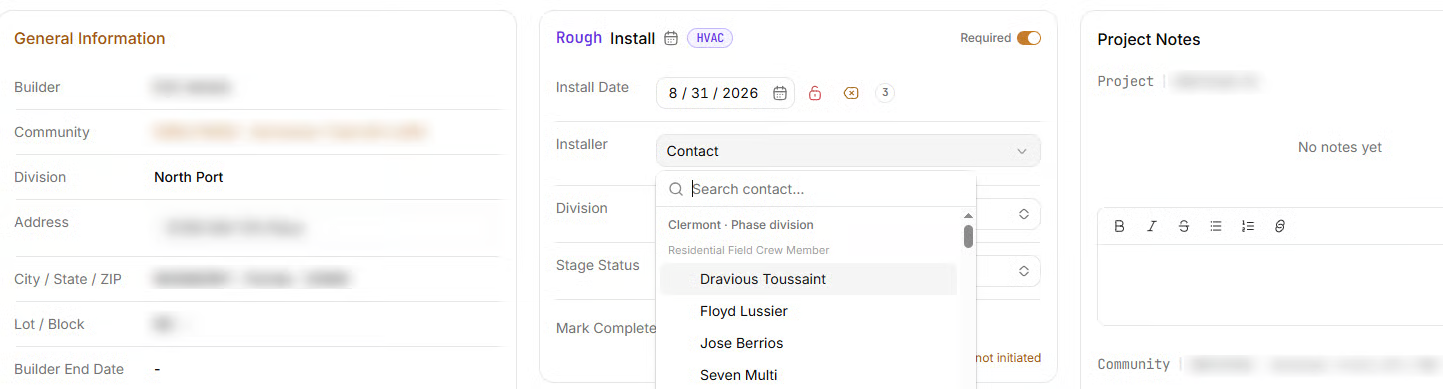
A Rough Install for HVAC showing installers from Clermont, despite the project being located in North Port
As of this launch, the Contact list will potentially contain significantly more names than previous, so we recommend using the Search function in the Installer field to find the exact person you're looking for.
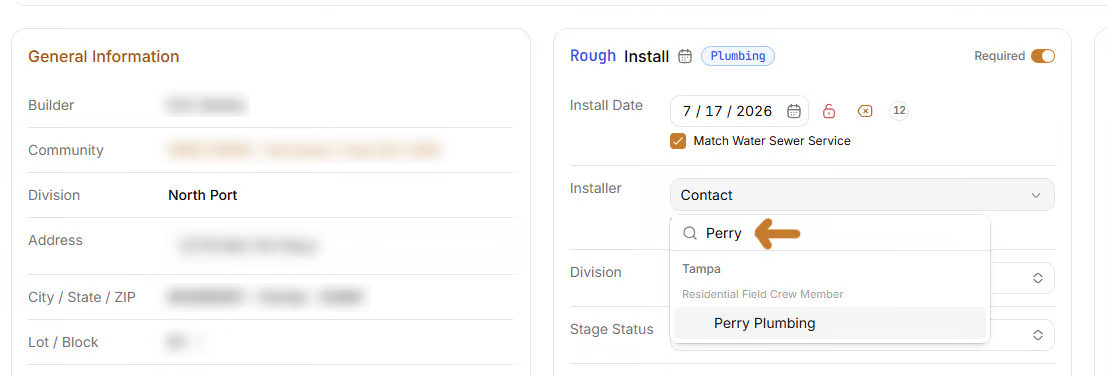
A Rough Install for Plumbing where the word Perry has been typed and Perry Plumbing from Tampa is the search result
How To: Schedule page
This update also impacts the Schedule; when clicking into a card for an install phase, if an installer is not currently assigned then the card will indicate this:
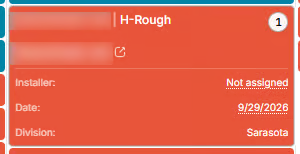
This project is in Sarasota but does not yet have an installer
Clicking Not assigned will open up the same installer menu seen in the Project page above, allowing selection of any installer for that phase in your system, regardless of division.
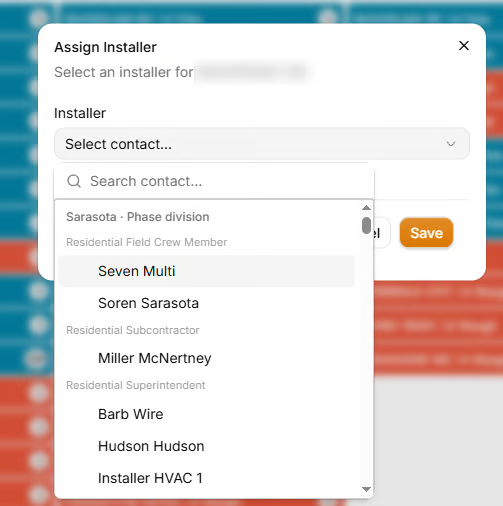
Despite this scheduler being located in Ocala, the division for the project is in Sarasota and the Sarasota names populate first, however any installers can be selected from this list
How To: Superintendent Report
Installers can also be selected via the the Reports > Superintendent view for users who have access to it. A project's installer can be adjusted or set for the first time by selecting the Edit button on any row in your range:

And then clicking the + under Installer to activate the pulldown
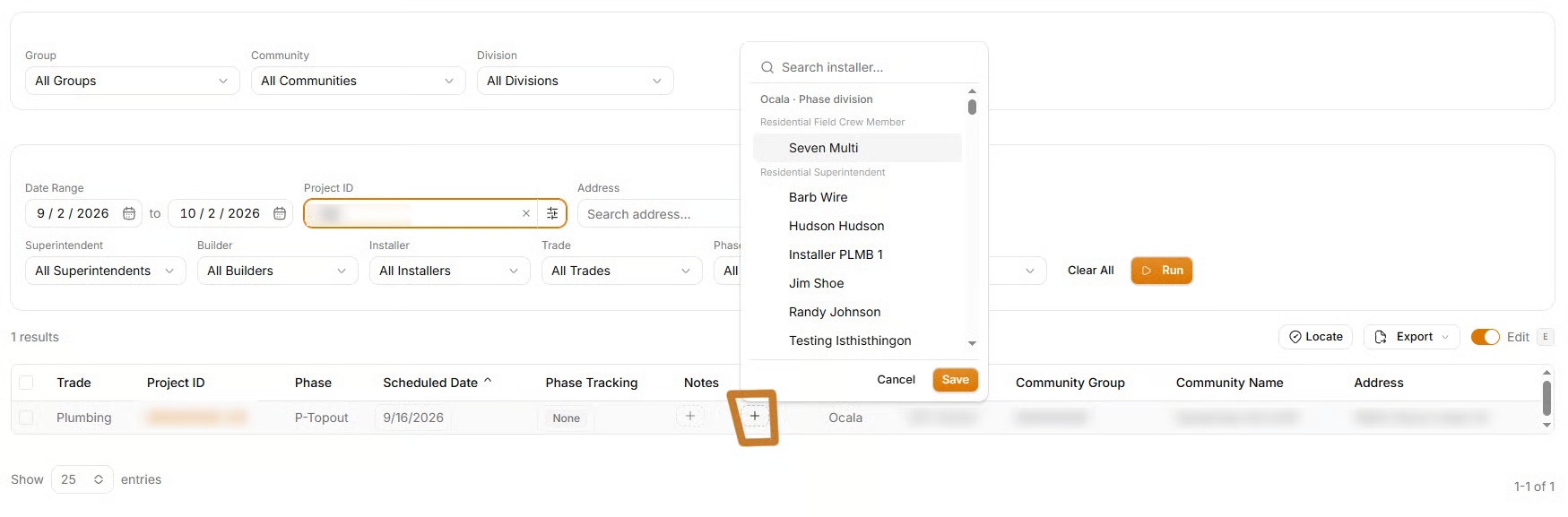
Again, note that since the project is located in Ocala, Ocala installers populate at the top of the list.
Need help? Use the Report a Bug feature in the lower right corner